
Marketing agencies don’t have a shortage of data. They have a problem finding the right information at the right time.
Google Ads shows campaign spending and conversions. Facebook Ads provides engagement and advertising results. Google Analytics tracks website traffic, while other marketing platforms provide their own reports and performance metrics.
Now imagine managing five, ten, or even twenty clients. Each client has different marketing goals, campaigns, budgets, and performance reports. Checking everything manually can take hours, especially when you need to compare results or prepare for a client meeting.
But what if you could simply ask ChatGPT about your marketing performance and get answers using your actual marketing data?
That’s what the StatNexa MCP Server is designed to make possible.
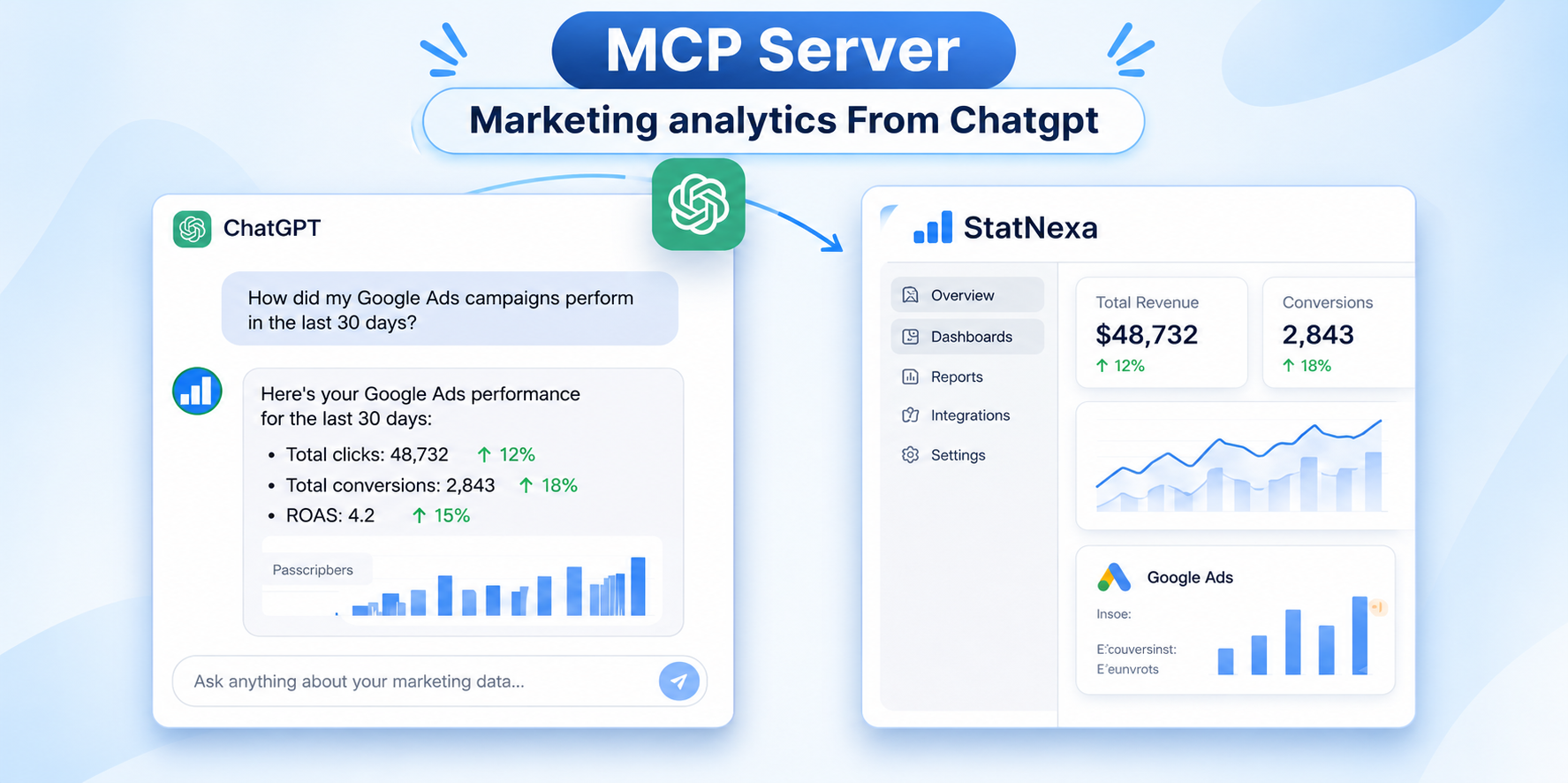
By connecting StatNexa with ChatGPT through Model Context Protocol (MCP), marketing teams can explore their connected dashboards, ask questions about campaign performance, review important KPIs, and understand marketing results through everyday conversations.
Instead of spending so much time finding numbers across different dashboards, you can focus more on understanding what those numbers mean.
Let’s explore how the StatNexa MCP Server works, what it offers, and how it can change the way marketing agencies work with client data.
What Is Model Context Protocol (MCP)?
Before looking at the StatNexa integration, it’s important to understand what MCP actually means.
MCP stands for Model Context Protocol. It is an open standard that allows AI applications to connect with external tools, services, and data sources.
Think about how you normally use ChatGPT. You ask a question, and it generates an answer based on the information available to it. But what happens when you want to ask something about your company’s marketing dashboard or a client’s advertising performance?
ChatGPT needs access to the relevant information before it can provide a meaningful answer about that data.
This is where MCP becomes useful.
MCP provides a standard way for AI applications to communicate with connected services. It allows an AI assistant to access information and capabilities that an external application makes available through an MCP server.
For example, a marketing analytics platform can use MCP to make connected marketing information accessible to an AI assistant.
This creates a more direct way to work with business information. Instead of manually copying numbers from one application into another, users can ask questions through a connected AI assistant.
For marketing agencies, this opens up new possibilities for campaign analysis, performance reviews, and reporting workflows.
Introducing the StatNexa MCP Server
StatNexa brings marketing analytics and conversational AI together.
The StatNexa MCP Server connects your StatNexa account with ChatGPT, allowing you to explore your connected marketing dashboards through natural-language questions.
In simple terms, your marketing data becomes easier to access through conversations.
You don’t need to manually open different dashboard sections every time you want to understand a campaign. You can ask ChatGPT questions about your connected marketing information and receive contextual answers based on the data available through your authorized StatNexa account.
For example, imagine you want to check your Google Ads performance for the last 30 days.
Normally, you might open your reporting dashboard, select the date range, find the campaign metrics, and review the results.
With StatNexa MCP, you can ask ChatGPT:
“Show me my Google Ads performance for the last 30 days.”
ChatGPT can use the information available through your StatNexa connection to help you explore the results.
You can also ask follow-up questions to understand spending, conversions, campaign performance, and other available KPIs.
The idea is simple: make your marketing data easier to explore without adding another complicated reporting process.
Why Marketing Agencies Need a Better Way to Access Client Data
Marketing agencies deal with different types of data every day.
One client might be running Google Ads and Facebook Ads campaigns. Another might be focused on SEO, website traffic, and lead generation. A third might need regular performance reviews across several marketing channels.
The challenge isn’t just collecting this information. It’s understanding it and finding the right numbers when they’re needed.
Here are some common situations marketing teams face.
1. Too Much Time Spent Checking Different Dashboards
When campaign information is spread across multiple platforms, checking performance can become repetitive.
A marketer may need to open Google Ads to review spending, Facebook Ads to check campaign results, and Google Analytics to understand website performance.
Even when all the information is available, finding and comparing the right metrics takes time.
StatNexa MCP provides another way to explore connected dashboard information. Users can ask ChatGPT questions about their available marketing data instead of manually searching through every report.
2. Understanding Campaign Results Is Not Always Easy
A dashboard may show clicks, impressions, conversions, spending, and other numbers.
But numbers alone don’t always explain what’s happening.
For example, a campaign might generate more clicks this month but fewer conversions. Another campaign might have a lower advertising budget but better ROAS.
Marketing teams need to understand these differences before making decisions.
With StatNexa MCP, users can ask questions about their connected campaign information and explore important performance changes through ChatGPT.
3. Preparing Client Meetings Takes Time
Agency account managers often need to explain campaign results to clients.
Before a meeting, they may have to collect performance numbers, compare previous results, review important KPIs, and prepare an update.
This process becomes more difficult when several clients need reports at the same time.
By making connected marketing information easier to explore, StatNexa MCP can help teams prepare for client discussions and find relevant performance details more quickly.
What Can You Do With the StatNexa MCP Server?
The main advantage of StatNexa MCP is that you can interact with your connected marketing information using everyday language.
Let’s look at some practical ways to use it.
1. Get Insights From Your Actual Marketing Data
One of the biggest limitations of asking general marketing questions to AI is that it may not have access to your latest business information.
For example, asking ChatGPT, “How is my Google Ads campaign performing?” without providing campaign data will not give it access to your private advertising results.
With StatNexa MCP, ChatGPT can use the marketing information available through your authorized StatNexa connection.
This means you can ask questions based on your connected dashboards instead of relying only on general marketing knowledge.
For example:
- Which campaign generated the highest ROAS this month?
- How much did we spend on advertising?
- Which marketing channel generated better results?
- What are the important changes in my campaign performance?
This makes the conversation more relevant to your actual marketing activities.
2. Ask Questions in Plain Language
Not everyone working in marketing understands SQL, data queries, or complex reporting filters.
And honestly, most marketing professionals don’t want to learn a technical process just to check campaign performance.
They want answers to simple questions.
StatNexa MCP makes this easier by allowing users to explore connected marketing information through natural-language questions.
For example, instead of manually filtering a dashboard, you could ask:
“Summarize my marketing performance for this month.”
Or:
“Compare my advertising spending this month with last month.”
You can communicate with ChatGPT just as you would ask a colleague about a campaign.
This is particularly useful for agency owners, account managers, and marketing professionals who need information without spending time navigating complex reports.
3. Understand Campaign Performance
Running advertising campaigns is one thing. Understanding whether they are delivering the expected results is another.
Marketing teams regularly monitor different metrics, including:
- Clicks
- Impressions
- Conversions
- Click-through rate (CTR)
- Cost per acquisition (CPA)
- Return on ad spend (ROAS)
- Advertising expenditure
Each metric provides a different view of campaign performance.
With StatNexa MCP, you can ask ChatGPT questions about the campaign metrics available in your connected dashboards.
For example:
“Which campaign generated the highest ROAS this month?”
“Show me the key results from my latest campaign.”
“Compare my campaign performance across the available reporting periods.”
These questions help you explore your campaign data and understand which results deserve more attention.
4. Compare Different Marketing Channels
Most digital marketing agencies don’t depend on just one marketing channel.
They work with Google Ads, Facebook Ads, Instagram, LinkedIn, SEO, and other platforms depending on their clients’ requirements.
But how do you know which channel is performing better?
Checking every platform separately can make comparisons difficult.
StatNexa MCP allows you to ask ChatGPT questions about your connected marketing information.
For example:
“Which marketing channel is performing best?”
“Are we over-investing in any marketing channels?”
“Compare the advertising spending across different channels.”
This helps marketing teams explore their available channel data and get a clearer picture of their marketing activities.
The important thing is to use the available numbers as a starting point for better analysis, not assume that one metric alone explains the complete performance of a channel.
5. Understand Your Marketing KPIs Faster
KPIs are important because they help businesses understand whether their marketing activities are moving in the right direction.
However, checking individual metrics doesn’t always provide a complete picture.
An agency owner might want to review website traffic, advertising spending, conversions, and campaign performance before discussing results with a client.
Instead of manually finding each number, you can ask ChatGPT:
“Summarize my dashboard KPIs for this month.”
Or:
“Identify the biggest changes in my marketing performance.”
ChatGPT can use the information available through your StatNexa connection to help you understand the relevant metrics.
This makes it easier to explore performance without manually going through multiple dashboard sections.
Real-World Examples: How Agencies Can Use StatNexa MCP
Let’s understand how this can fit into everyday agency work.
Scenario 1: An Agency Owner Wants to Review Client Performance
Imagine you manage a digital marketing agency with several active clients.
Every week, you need to understand how their campaigns are performing. You want to know which campaigns are delivering results, how much money is being spent, and whether important KPIs have changed.
Instead of opening multiple reports, you can ask ChatGPT questions through StatNexa MCP.
Example question:
“Give me an overview of my client’s marketing performance this month and highlight the most important KPIs.”
This gives you a conversational way to explore the information available in your connected dashboard before reviewing the results with your team.
Scenario 2: A Performance Marketer Wants to Compare Advertising Spend
Suppose a performance marketer manages Google Ads and Facebook Ads campaigns for a client.
The client wants to understand how much money is being spent and which channel is performing better.
The marketer can ask:
“Compare my Google Ads and Facebook Ads spending for this month.”
They can then explore additional questions about campaign results and available performance metrics.
This makes it easier to investigate the numbers without repeatedly switching between reporting screens.
Scenario 3: An Account Manager Is Preparing for a Client Meeting
An account manager has an upcoming client meeting.
The client wants to know what happened during the previous month, which campaigns performed well, and whether any important metrics changed.
The account manager can ask ChatGPT:
“Summarize the latest campaign performance and highlight the key changes I should discuss with my client.”
The response can help identify relevant information from the connected dashboard.
The account manager can then verify the figures and prepare the final client update.
Scenario 4: A Marketing Team Wants to Identify Performance Changes
A marketing team notices that campaign performance looks different compared with the previous month.
Instead of checking every report individually, they can ask:
“Identify the biggest changes in my marketing performance.”
This gives them a starting point for investigating which metrics have changed and where they may need to look more closely.
These examples show how conversational access can make marketing information easier to explore in everyday situations.
What Questions Can You Ask ChatGPT Through StatNexa MCP?
You don’t need to write complicated commands to explore your marketing dashboards.
Here are some practical questions you can try after connecting your StatNexa account.
| Category | Questions to ask |
|---|---|
| Campaign performance | Which campaign generated the highest ROAS this month? |
| Advertising spend | Compare my Google Ads spending this month to last month. |
| Channel analysis | Which marketing channel is performing best? |
| Marketing investment | Are we over-investing in any marketing channels? |
| KPI tracking | Summarize my dashboard KPIs for this month. |
| Performance changes | Identify the biggest changes in my performance. |
| Campaign review | Show me how my latest campaign is performing. |
| Marketing overview | Give me an overview of my connected marketing performance. |
You can also ask follow-up questions to explore specific metrics in more detail.
For example, if you ask about campaign performance, you can follow up by asking about spending, conversions, or ROAS.
The answers depend on the information available through your connected StatNexa account and the access you have authorized.
How to Connect StatNexa to ChatGPT
Getting started with StatNexa MCP is straightforward.
Follow these steps to connect your account.
Step 1: Open ChatGPT
Log in to your ChatGPT account and navigate to the StatNexa integration.
Step 2: Find the StatNexa Integration
Select the available option to connect or install StatNexa.
Step 3: Sign In to Your StatNexa Account
Use your StatNexa account credentials to continue the connection process.
Step 4: Authorize Access
Review the requested permissions and authorize the connection through StatNexa’s authentication flow.
This step allows ChatGPT to access the marketing information made available through your authorized connection.
Step 5: Start Asking Questions
Once connected, you can start asking questions about your marketing dashboards, campaign performance, KPIs, and other available marketing information.
You can begin with a simple question:
“Show me my latest marketing performance.”
From there, explore additional questions based on the results.
Who Can Benefit From the StatNexa MCP Server?
StatNexa MCP is useful for different professionals who regularly work with marketing data.
Digital Marketing Agencies
Agencies manage multiple clients, campaigns, and marketing channels.
StatNexa MCP gives agency teams another way to explore connected client dashboards, understand campaign performance, and prepare for client discussions.
Marketing Teams
In-house marketing teams need to monitor campaign performance and track important KPIs.
They can use ChatGPT to explore connected marketing information and understand what is happening across their marketing activities.
Performance Marketers
Performance marketers regularly review advertising spending, conversions, ROAS, and other campaign metrics.
StatNexa MCP helps them access relevant information through natural-language questions and investigate campaign results.
Business Owners
Business owners don’t always have time to explore every marketing dashboard.
They may simply want to understand how their marketing activities are performing.
By asking questions through ChatGPT, they can get a clearer view of the marketing information available through their connected account.
Is StatNexa MCP a Secure Way to Connect Marketing Data?
Marketing information is important to every business, especially when agencies manage data for multiple clients.
That’s why account authorization matters.
StatNexa MCP uses an authentication flow to connect your StatNexa account with ChatGPT. Users sign in and authorize the requested access before exploring their connected marketing information.
Access depends on the authorization granted and the information made available through that connection.
Before connecting any business application, it’s good practice to review the permissions being requested and follow your organization’s data access policies.
This helps teams make informed decisions about how their business information is accessed through connected applications.
The Future of Marketing Analytics Is More Conversational
Marketing analytics has always been about understanding performance and making better decisions.
But the way people access information is changing.
Traditional dashboards remain important. They help teams organize marketing data, monitor KPIs, and review campaign results. However, conversational AI introduces another way to explore that information.
Instead of manually searching for every metric, users can ask questions and investigate their marketing data through an AI assistant.
MCP helps make this possible by providing a standard connection between AI applications and external services.
For marketing agencies, this creates an opportunity to make reporting information more accessible to the people who need it.
Imagine an agency owner reviewing client performance through a simple conversation, or a performance marketer asking questions about advertising spend without manually searching through multiple reports.
These are practical ways conversational AI can become part of everyday marketing work.
The goal isn’t to replace marketing professionals or remove the need for proper reporting. It’s to make information easier to access so teams can spend more time understanding results and less time searching for numbers.
Final Thoughts:
Marketing agencies don’t need more numbers. They need a better way to understand the numbers they already have.
When information is spread across different platforms, dashboards, and reports, finding the right answers can take valuable time.
The StatNexa MCP Server brings a different approach to this problem.
By connecting StatNexa with ChatGPT, agencies and marketing teams can explore their connected marketing dashboards, ask questions in plain language, review campaign performance, compare KPIs, and understand important changes using their actual authorized marketing information.
Whether you’re an agency owner preparing for a client meeting, a performance marketer reviewing campaign results, or a business owner checking marketing performance, having a conversational way to explore your data can make everyday analysis easier.
Because at the end of the day, collecting data is only part of the job. Understanding what that data is telling you is what matters.
Your Marketing Data. Now Connected to ChatGPT.
Trust the Signal.
Ready to explore a smarter way to work with marketing analytics?
Connect your StatNexa account with ChatGPT and start exploring your marketing data.
Explore StatNexa MCP: https://statnexa.com/features/mcp
Start with StatNexa: https://statnexa.com
Explore Pricing: https://statnexa.com/pricing