
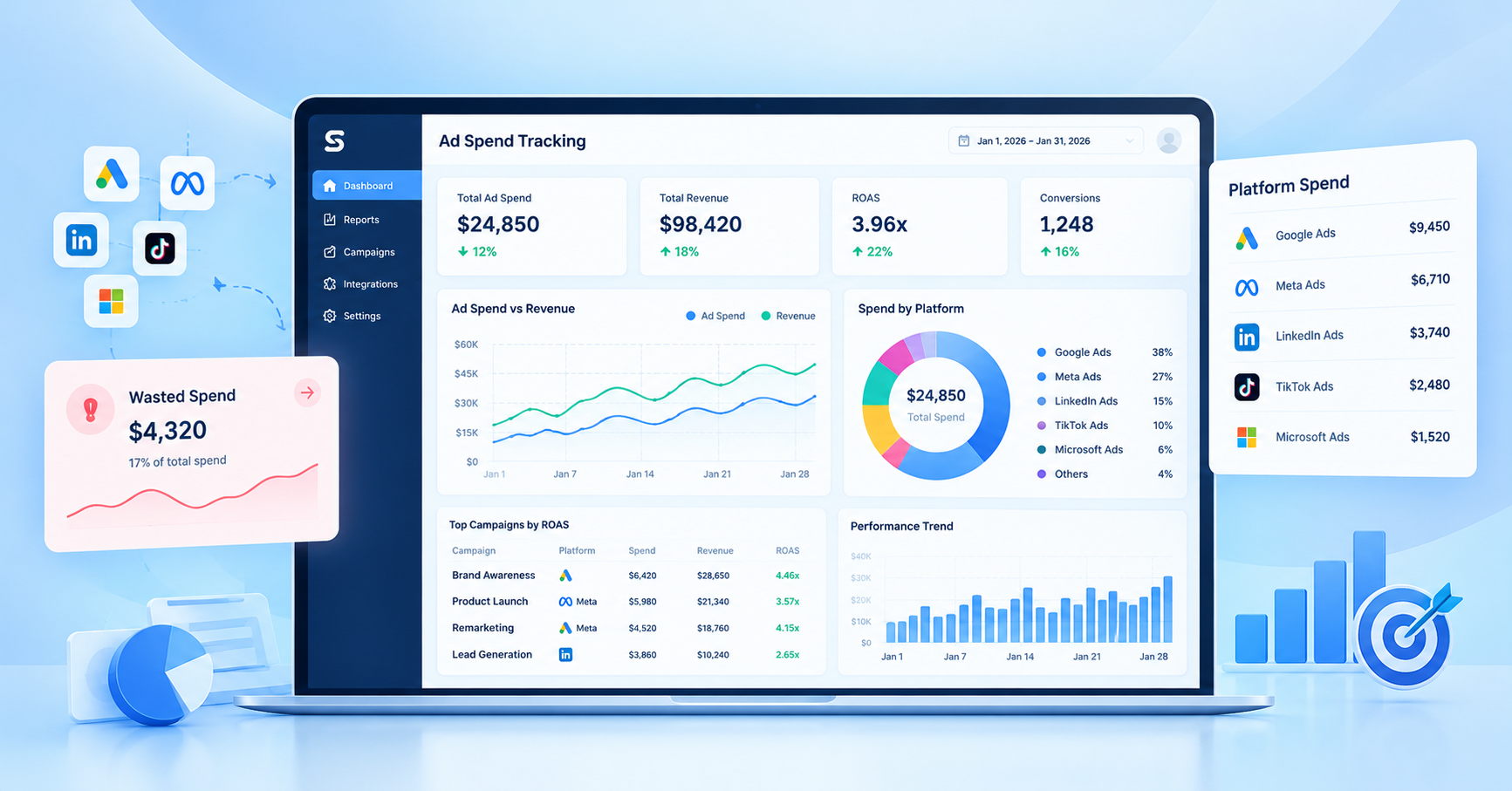
Your client has spent $5,000 on ads this month. Clicks are coming in, impressions look good, and the campaign dashboard is full of numbers. But when the client asks, “How much revenue did we actually get from this money?” the answer isn’t clear.
That’s where the problem starts.
Marketing agencies don’t just need to track how much they spend. They need to understand where the budget goes, which campaigns deliver results, and where money gets wasted. Without that visibility, even a well-funded campaign can quietly drain a client’s budget.
Ad spend tracking helps agencies connect advertising costs with actual performance. It makes it easier to spot inefficient campaigns, compare channels, explain results to clients, and make better decisions before small problems become expensive ones.
In 2026, when agencies may manage Google Ads, Meta Ads, and other paid channels for multiple clients, relying on scattered dashboards and manual spreadsheets can make this job harder than it needs to be.
This guide explains how to identify wasted ad spend, build a practical tracking process, and use campaign data to make smarter decisions that improve client ROI.
Table of Contents
- Why Ad Spend Tracking Matters in 2026
- What Is Ad Spend Tracking?
- 5 Signs Your Clients Are Wasting Ad Budget
- How to Build an Effective Ad Spend Tracking Process
- How to Improve Client ROI Without Automatically Increasing Ad Spend
- Manual Tracking vs. Ad Spend Tracking Software
- How StatNexa Supports Better Advertising Reporting
- Ad Spend Tracking Checklist for 2026
- Frequently Asked Questions
Why Ad Spend Tracking Matters in 2026
Managing advertising budgets becomes more complicated when an agency handles several clients, campaigns, and advertising platforms at once.
One client may run Google Search campaigns to generate leads. Another may use Meta Ads to promote products. A third may divide the budget across multiple channels. Each platform reports its own numbers, and those numbers don’t always tell the complete business story.
Without a consistent tracking process, agencies can miss overspending, overlook weak campaigns, and struggle to explain results during client meetings.
1. Stop Budget Waste Before It Grows
A campaign can continue spending money even when its results are disappointing. Regular spend reviews help agencies identify unusual costs, investigate conversion problems, and decide whether a campaign needs adjustment.
For example, if a campaign is consuming a large share of the monthly budget but generating very few qualified leads, the agency should investigate before allowing spending to continue unchecked.
2. Give Clients Clearer Answers
Clients want to understand what their advertising budget is achieving.
Instead of reporting only clicks, impressions, and total spend, agencies should connect these numbers with leads, sales, acquisition costs, and revenue where reliable data is available.
This changes the conversation from “We spent $3,000” to “We spent $3,000, generated 60 leads, and identified two campaigns that need improvement.”
3. Make Better Decisions Across Channels
A campaign with cheap clicks isn’t automatically better than one with expensive clicks. If the more expensive campaign generates more qualified leads or sales, it may deliver greater business value.
Ad spend tracking gives agencies a clearer basis for comparing performance instead of making decisions based on surface-level metrics.
What Is Ad Spend Tracking?
Ad spend tracking is the process of monitoring advertising expenses and comparing them with campaign performance to understand how effectively a budget is being used.
It includes tracking total spend, campaign-level costs, conversions, cost per acquisition, and return on ad spend where applicable.
The goal is simple: understand not only where the money goes, but also what it achieves.
Ad Spend Tracking vs. Ad Performance Tracking
These two activities work together, but they answer different questions.
| Area | Main question | Example metrics |
|---|---|---|
| Ad spend tracking | How much are we spending? | Total spend, daily spend, budget utilization |
| Ad performance tracking | What results are we getting? | Clicks, conversions, conversion rate |
| ROI analysis | Is the investment delivering business value? | Revenue, profit, acquisition cost, ROAS |
Tracking spend without measuring outcomes gives an incomplete picture. Measuring performance without understanding costs can be equally misleading.
Agencies need both to make informed decisions.
The Key Metrics Agencies Should Monitor
Total ad spend: The amount spent over a specific period, campaign, or advertising channel.
Cost per click (CPC): The average cost paid for each click. It helps agencies understand traffic costs but doesn’t measure lead or sales quality on its own.
Cost per acquisition (CPA): The cost of generating a defined conversion, such as a lead or purchase. Always clarify which conversion is being measured.
Conversion rate: The percentage of relevant visitors or clicks that complete the desired action.
Return on ad spend (ROAS): The revenue attributed to advertising divided by advertising spend. For example, $6,000 in attributed revenue from $2,000 in ad spend equals a 3x ROAS. This does not automatically mean the campaign is profitable because other business costs still matter.
Customer acquisition cost (CAC): The cost of acquiring a customer. Depending on the calculation, this may include expenses beyond advertising, such as sales and marketing costs.
These metrics help agencies understand both spending patterns and campaign outcomes.
5 Signs Your Clients Are Wasting Ad Budget
Not every expensive campaign is a bad campaign. The important thing is to recognize warning signs and investigate the reason behind them.
1. Campaigns Spend Money Without Generating Conversions
A campaign may attract hundreds of clicks without generating meaningful leads or sales.
Before cutting the budget, check whether conversion tracking works correctly, the landing page loads properly, and the offer matches the audience’s expectations.
Action: Review search terms, audience targeting, landing-page performance, and conversion events before making changes.
2. Acquisition Costs Keep Increasing
Suppose a client previously acquired leads at $25 each, but the cost has gradually increased to $45. If lead quality remains the same, the campaign may be becoming less efficient.
Rising acquisition costs can result from stronger competition, audience fatigue, weaker conversion rates, or changes in campaign strategy.
Action: Compare CPA over time, examine campaign-level changes, and identify what changed before adjusting the budget.
3. Too Much Budget Goes to Underperforming Channels
An agency might spend $2,000 on one channel and $1,000 on another. The first channel generates more clicks, but the second produces more qualified leads.
Looking only at traffic volume could lead to the wrong decision.
Action: Compare channels using consistent conversion definitions and, where possible, lead quality, revenue, and acquisition costs.
4. Conversion Tracking Is Incomplete or Inconsistent
Missing conversion events, duplicate tracking, inconsistent UTM parameters, and differences between attribution models can make performance reports unreliable.
When the underlying data is wrong, even a polished dashboard can lead to poor decisions.
Action: Audit tracking tags, test conversion events, standardize campaign naming, and document how conversions are attributed.
5. Reports Arrive Too Late
If an agency reviews performance only at the end of the month, a campaign may spend beyond its intended budget before anyone notices.
Action: Establish regular reviews based on budget size, campaign volatility, and client requirements. Use alerts where available, and investigate unexpected changes promptly.
How to Build an Effective Ad Spend Tracking Process in 2026
A reliable tracking process doesn’t have to be complicated. It needs clear budgets, consistent data, regular reviews, and a process for acting on what the numbers reveal.
Step 1: Set a Clear Budget for Every Client
Document each client’s approved monthly budget, campaign allocations, spending limits, and any rules for reallocating funds.
For example, a client may approve a $6,000 monthly advertising budget, with $3,500 assigned to Google Ads and $2,500 to Meta Ads.
These figures create a baseline for monitoring spending. Agencies should also account for platform billing differences and the distinction between planned budgets and actual charges.
Practical tip: Record budget changes and get client approval before making significant reallocations.
Step 2: Bring Advertising Data Into One View
Checking each advertising platform separately can make cross-channel analysis time-consuming.
Where integrations are available, consolidate campaign spend, conversions, and performance data into a shared reporting dashboard.
This helps teams compare channels and review client performance without repeatedly collecting information from different sources.
Practical tip: Standardize campaign names, date ranges, currency settings, and UTM conventions to make comparisons more reliable.
Step 3: Compare Spending With Conversions and Revenue
Total spend tells you how much money was used. It doesn’t explain whether that money generated useful results.
Compare spend with leads, purchases, CPA, and ROAS where appropriate. For lead-generation clients, distinguish between total leads and qualified leads. For ecommerce clients, examine attributed revenue and account for product margins when assessing profitability.
Practical tip: Choose metrics that match the client’s business objective rather than reporting every available number.
Step 4: Set Rules for Reviewing Budget Performance
Don’t wait until a client asks why spending has increased.
Create a review schedule that fits each account. High-spend or rapidly changing campaigns may need daily checks, while more stable accounts may require less frequent monitoring.
Set reasonable thresholds for unusual spending, sudden performance declines, and budget utilization. Where supported, use automated alerts to flag issues for investigation.
Practical tip: Treat an alert as a reason to investigate, not automatic proof that a campaign should be paused.
Step 5: Turn Tracking Data Into Client-Ready Reports
Clients need clear answers, not a wall of charts.
A useful report should explain:
- How much was spent against the approved budget.
- What results the campaigns generated.
- Which channels or campaigns performed well.
- What risks or inefficiencies need attention.
- What the agency recommends doing next.
Practical tip: Include a short summary of key changes and next steps so clients can understand the results without interpreting every metric themselves.
A Practical Agency Example
Imagine an agency managing a hypothetical client’s $5,000 monthly ad budget across Google Ads and Meta Ads.
During a weekly review, the team notices that one campaign is spending steadily but producing very few qualified leads. Instead of immediately increasing or cutting the budget, the team checks conversion tracking, audience targeting, and landing-page performance.
The review reveals that the campaign’s landing page has a conversion-tracking issue. After the tracking problem is corrected, the agency can evaluate the campaign using more reliable data and recommend adjustments based on actual results.
The lesson: better tracking helps agencies identify problems sooner and make decisions with greater confidence.
How to Improve Client ROI Without Automatically Increasing Ad Spend
When campaign results fall short, adding more money isn’t always the right solution. Agencies should first identify whether the problem lies in targeting, tracking, conversion quality, or the offer itself.
Reallocate Budget Using Reliable Performance Data
Compare campaigns using meaningful business outcomes. If one campaign consistently generates qualified leads at an acceptable cost while another struggles, consider whether a controlled budget shift makes sense.
Avoid moving money based on a single day’s performance or a small sample of conversions.
Investigate Before Pausing a Campaign
A weak result may come from several causes, including poor targeting, a slow landing page, a broken conversion event, or a longer-than-expected sales cycle.
Check the evidence before deciding whether to pause, revise, or continue a campaign.
Connect Advertising Costs to Business Outcomes
A low CPA is useful only when the resulting leads or customers have value.
For example, a campaign that generates inexpensive but unqualified leads may deliver less business value than a campaign with a higher CPA and a stronger lead-to-sale rate.
Agencies should work with clients to understand lead quality, sales outcomes, revenue, and profitability where the necessary data is available.
Manual Tracking vs. Ad Spend Tracking Software
Spreadsheets can work well for agencies with a small number of campaigns and straightforward reporting needs. However, manual processes become harder to maintain as the number of clients, platforms, and metrics grows.
| Factor | Manual spreadsheets | Tracking and reporting software |
|---|---|---|
| Data collection | Often requires manual updates | Can automate supported data imports |
| Cross-channel visibility | Requires careful consolidation | Can provide centralized dashboards |
| Reporting | Templates and manual formatting | May support automated reports |
| Flexibility | Highly customizable | Depends on available features |
| Maintenance | Can become time-consuming | Requires setup and ongoing checks |
Software isn’t automatically the best option for every agency. The right choice depends on the number of accounts, available integrations, data requirements, budget, and reporting workflow.
When evaluating tools, check supported advertising platforms, data refresh frequency, metric customization, report sharing, and whether the solution fits your clients’ needs.
How StatNexa Supports Better Advertising Reporting
When an agency manages multiple clients, collecting data is only part of the challenge. The team also needs to turn that data into clear reports and useful performance insights.
StatNexa is a marketing analytics and reporting platform designed to bring supported marketing data into unified dashboards and simplify reporting workflows.
Depending on the integrations and features used, agencies can explore capabilities such as:
- Unified dashboards: Review supported marketing metrics in one place.
- Custom metrics: Focus reports on the measures that matter to each client.
- Automated reporting: Reduce repetitive reporting work where supported.
- AI-powered insights and summaries: Help communicate performance trends more clearly.
- Data integrations: Connect supported marketing platforms to build a more consistent reporting process.
For agencies tracking advertising spend, the key benefit is a clearer way to review performance alongside other marketing data. Teams should still verify the available integrations and ensure that conversion tracking and attribution are configured correctly.
If you want to simplify your marketing reporting workflow, explore StatNexa’s features or start a free trial to see whether the platform fits your agency’s requirements.
Ad Spend Tracking Checklist for 2026
Use this checklist during your next client account review.
- Confirm the approved budget and campaign-level allocations.
- Check actual spend against the reporting period and budget.
- Verify conversion events and UTM tracking.
- Review CPC, CPA, conversion rate, and ROAS where relevant.
- Investigate unusual spending or performance changes.
- Compare channels using consistent conversion definitions.
- Check lead quality or revenue where data is available.
- Share clear findings and recommended next steps with the client.
- Record optimization changes and their outcomes.
A consistent process makes it easier to spot issues, explain results, and keep client decisions grounded in reliable data.
Conclusion
Wasted ad spend doesn’t always come from a bad campaign. Sometimes it comes from missing data, delayed reports, unclear budgets, or decisions made without understanding the full picture.
Effective ad spend tracking helps agencies move beyond monitoring costs. It connects spending with campaign outcomes, makes budget problems easier to investigate, and gives clients clearer explanations of where their money goes.
Start with approved budgets, reliable conversion tracking, meaningful metrics, and regular performance reviews. Then use the findings to make measured improvements instead of reacting to isolated numbers.
The goal isn’t simply to spend less. It’s to understand what each advertising dollar is doing and make better decisions with the budget available.
Frequently Asked Questions
What Is the Best Way to Track Ad Spend Across Multiple Platforms?
Use a consistent process for recording budgets, collecting campaign costs, and comparing results across platforms. A spreadsheet may be sufficient for a small account, while a reporting dashboard can help agencies manage more clients and data sources. Always verify that reporting periods, currencies, and conversion definitions match.
Which Metrics Matter Most for Ad Spend Tracking?
Start with total spend, CPC, CPA, conversion rate, and ROAS where applicable. For lead-generation campaigns, qualified leads and cost per qualified lead may be more useful. For ecommerce, attributed revenue and profit margins provide additional context. Choose metrics according to the client’s actual business goals.
How Often Should Marketing Agencies Review Ad Spend?
Review frequency depends on the account’s budget, campaign activity, and risk. Large or rapidly changing campaigns may need daily checks, while stable accounts can follow a less frequent schedule. Agencies should also conduct regular performance reviews and investigate unexpected spending changes promptly.
Can Ad Spend Tracking Help Improve ROAS?
Yes. Tracking can help agencies identify inefficient campaigns, compare performance, and investigate where budget changes may be useful. However, it doesn’t guarantee better ROAS. Results also depend on targeting, creative quality, conversion tracking, product pricing, competition, and the customer journey.
Should Agencies Use Spreadsheets or Ad Spend Tracking Software?
Spreadsheets are useful for smaller accounts and simple workflows. Reporting software can be more practical when agencies need centralized dashboards, recurring reports, or data from multiple supported platforms. Compare the cost, integration support, flexibility, and maintenance requirements before choosing.