📤 Export Reports
You can easily export your reports from StatNexa to Excel (XLSX) or CSV for convenient access and sharing. Follow the steps below to ensure a smooth export process.
📘 Export to Excel (XLSX)
StatNexa allows direct export of reports in XLSX (Excel) format.
Steps to Export:
- Open the desired report in StatNexa.
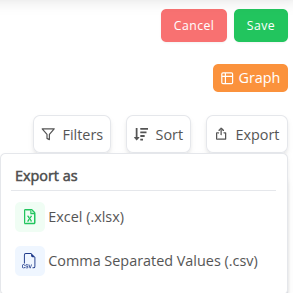
- Click the Export dropdown menu on the export widget.
- Select Excel / XLSX as the export format.
- The report will automatically download to your default folder.
📄 Export to CSV
StatNexa also lets you export reports as CSV files.
Steps to Export:
-
Open the desired report in StatNexa.
-
Click the Export dropdown menu on the export widget.
-
Select CSV as the export format.
-
The report will automatically download to your default folder.